Coming to the App Store

Tap an emoji.
Paste, generate, or transform from any keyboard.

A custom iOS keyboard that turns emoji keys into reusable snippets and Claude AI commands — your prompt library, one tap away in every app.

Polish Text
Claude · Transform
💌
My Email
Paste · Instant
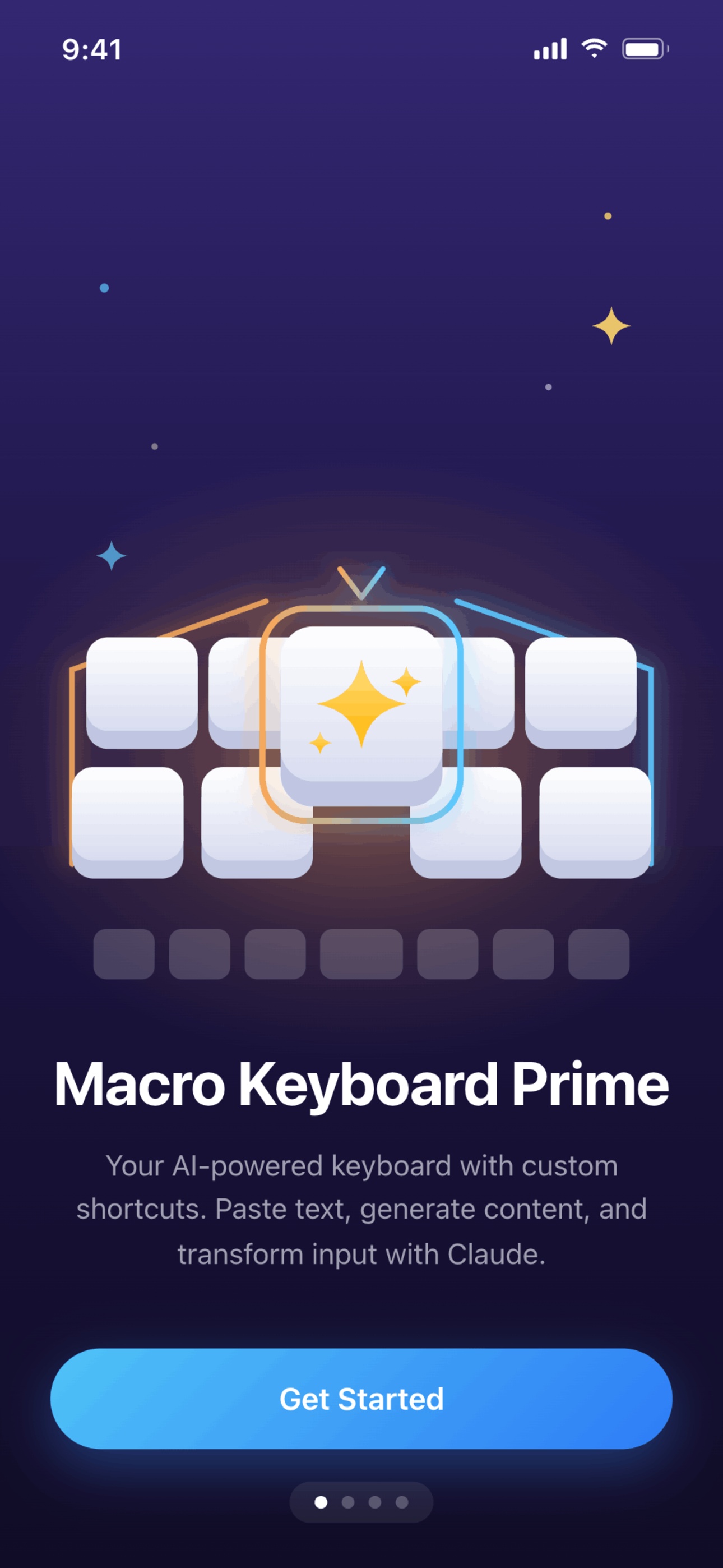
Macro Keyboard Prime welcome screen
Three actions, one tap

Each emoji key is whatever you want it to be.

Configure your keyboard once in the app. From then on, every tap fires a snippet, a Claude prompt, or a transformation of the text you're already typing.

📝

Paste text

Instantly insert canned responses, signatures, addresses, code snippets — anything you type more than once.

Tap 📧
"jay@bollandbranch.com"

Generate with Claude

Run a saved Claude prompt and stream the response straight into the text field you're already in. Reply drafts, brainstorms, release notes — on demand.

Tap 💡
Streams 5 ideas inline
🪄

Transform what's there

Highlight the text you just wrote and tap a key to rewrite it — polish the tone, summarize, translate, or fix grammar. The output replaces your draft.

Select draft, tap
Polished version replaces it
Made for iOS

Native feel. Designed like a system keyboard.

Drag-to-reorder keys, App Group sync between the app and the extension, and an interface that looks at home in iOS Settings.

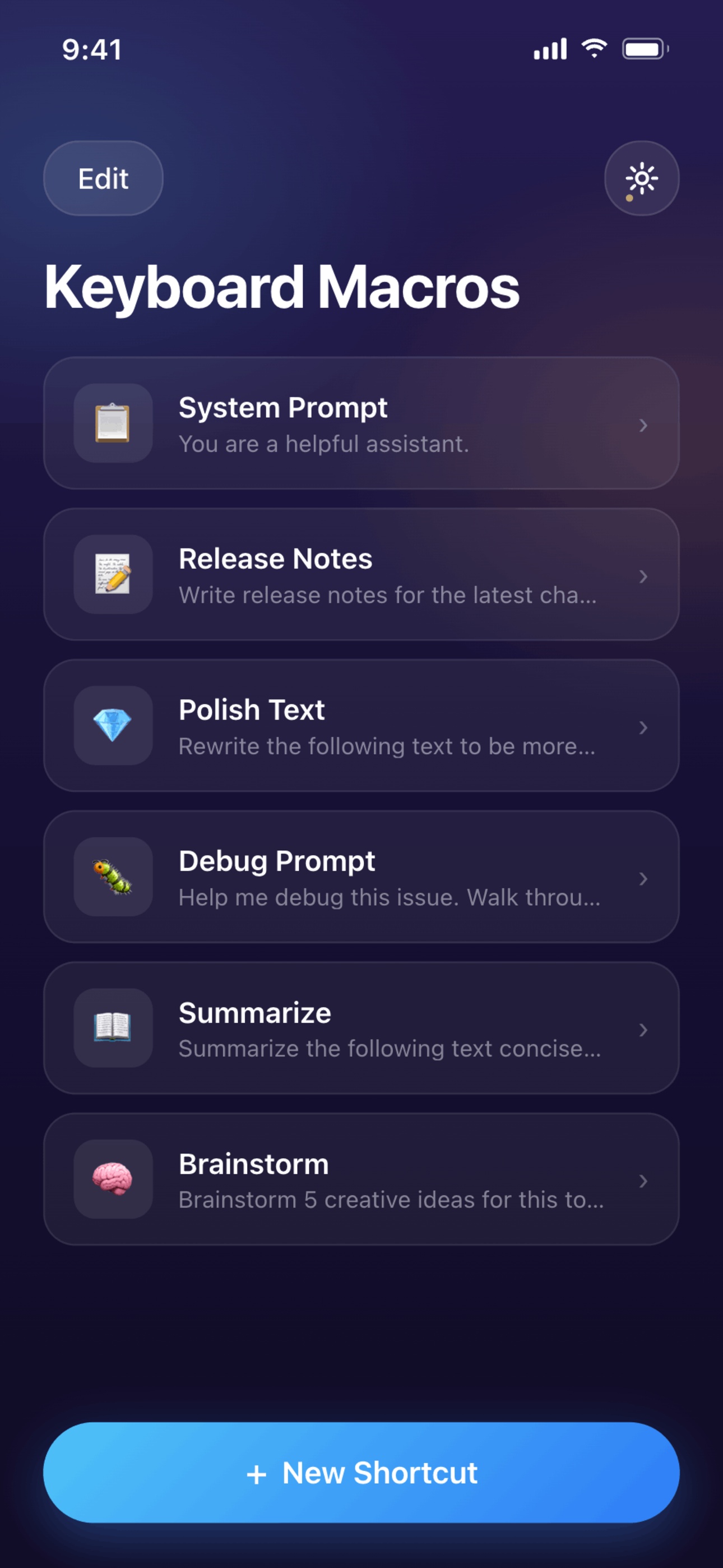
Your shortcut library

Browse and reorder every macro you've saved.

Shortcut list with macros like Polish Text, Brainstorm, Debug Prompt

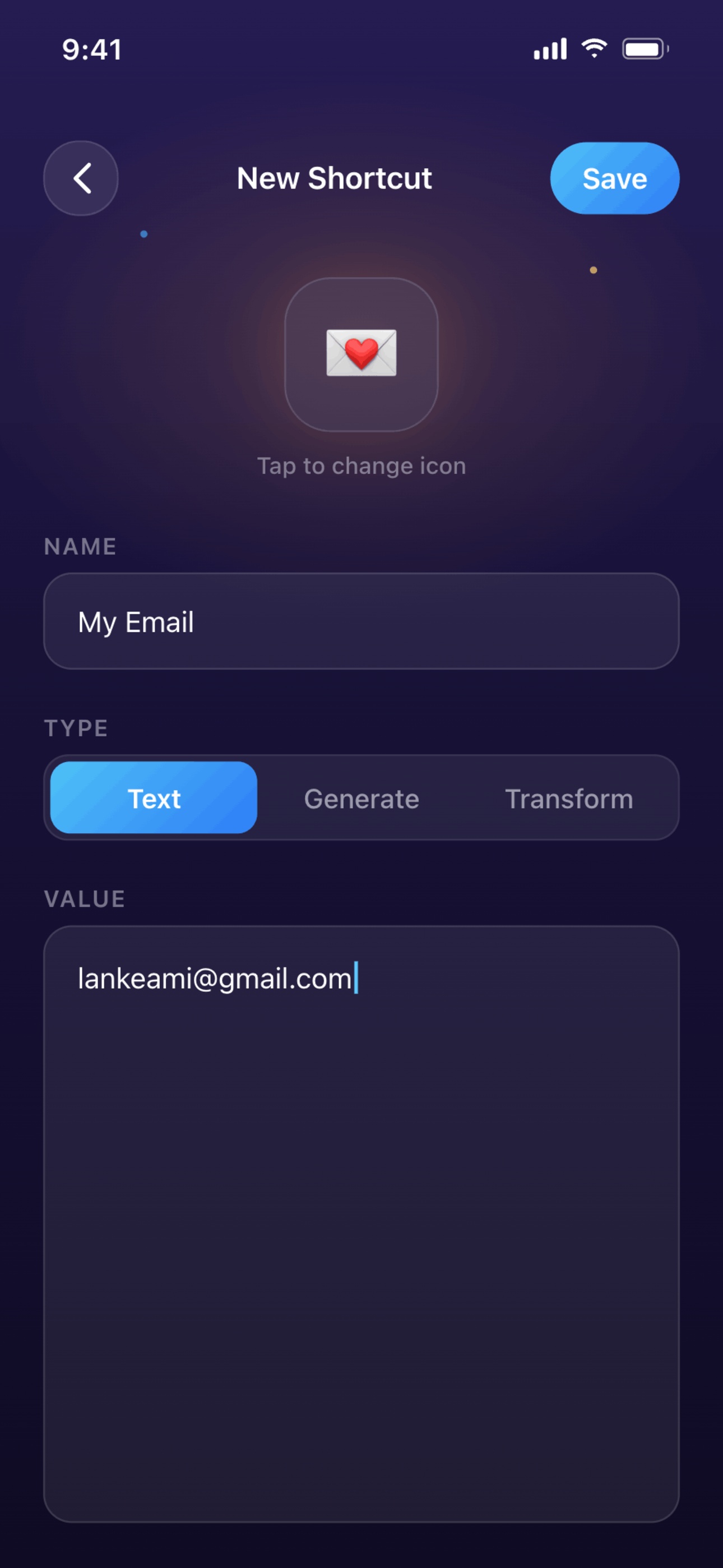
Three action types

Text paste, Claude Generate, or Claude Transform.

Shortcut editor with Text / Generate / Transform picker

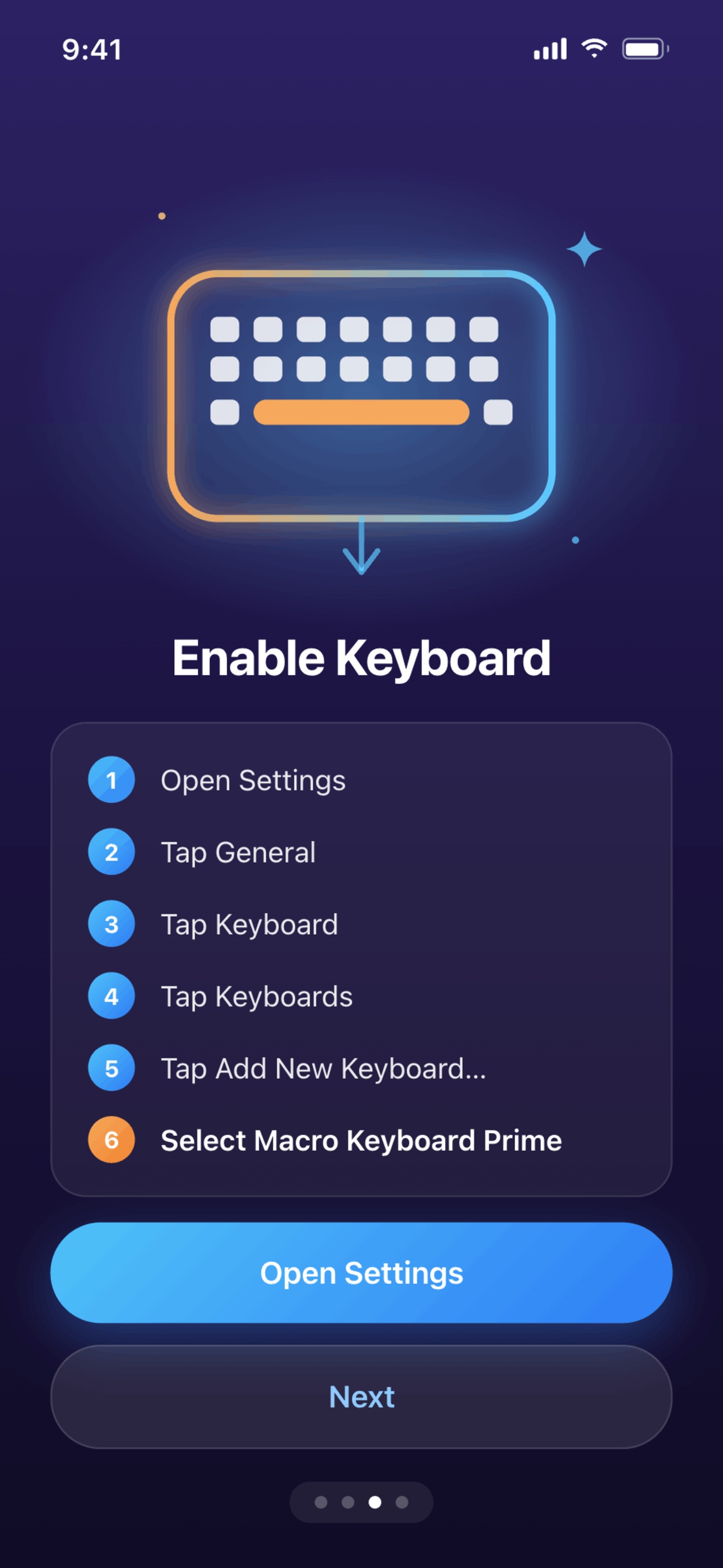
Guided setup

Onboarding walks you through enabling the keyboard.

Enable Keyboard onboarding step
Real-world macros

What people actually map.

A few examples to get you started — your shortcuts are entirely your own.

💌

Email signature

Paste your full signature into any text field, on any app.

🪄

Polish my draft

Transform a casual reply into a professional version — without leaving the message.

🧠

Brainstorm ideas

Generate five fresh angles for the topic you're writing about.

📋

Release notes

Drop a Claude-written changelog into Slack from your commit list.

📚

Summarize a thread

Transform a long quote into a one-paragraph TL;DR you can send.

🌐

Translate inline

Rewrite the text field in any language without switching apps.

Your keyboard, your data

Zero tracking. Zero servers. Your key, your control.

Macro Keyboard Prime has no backend. Your API key lives in the iOS Keychain. The keyboard never logs keystrokes. The only network traffic is the request you explicitly send to Anthropic when you tap a Claude key.

  • API key stored only in the iOS Keychain
  • No analytics, no telemetry, no third-party SDKs
  • No keystroke logging or typing history
  • Requests go directly to api.anthropic.com
  • Text-paste shortcuts work without network access
  • Open privacy policy you can read in 2 minutes
FAQ

Common questions

If you don't see your answer here, reach out — contact info is in the footer.

Do I need my own Anthropic API key?

Yes. The app uses your own Claude API key from console.anthropic.com. You only pay for the Claude calls you actually make, and the key never leaves your device — it's stored in the iOS Keychain.

Why does the keyboard need "Full Access"?

Full Access is required by iOS for any keyboard extension that makes network requests. Macro Keyboard Prime needs it solely to call the Anthropic API when you tap an AI shortcut. Text-paste shortcuts work without Full Access.

Does the keyboard read everything I type?

No. The keyboard never logs keystrokes, reads typing history, or accesses content beyond what's needed to fulfill a Claude Transform request you explicitly trigger. See the privacy policy for the full breakdown.

What's the difference between Generate and Transform?

Generate sends a prompt to Claude and streams the response into the text field. Transform takes the text already in the field, sends it to Claude with a template you defined, and replaces the original — perfect for "polish this," "translate this," or "summarize this."

Which Claude models can I use?

Any model your API key has access to. You set the default model and max tokens per shortcut in Settings, so you can use a fast small model for quick rewrites and a larger one for heavier generation.

Does it work on iPad?

It runs anywhere you can install an iOS 17+ custom keyboard. The keyboard layout adapts to the screen — full iPad support is on the roadmap with optimized layouts.

The keyboard is the app. Stop switching contexts.

Bring your prompt library and your favorite snippets into every text field on your phone.

Get notified when it launches